
Quick Summary
When an automated gate transmitter fails to respond, understanding why is my gate remote not working helps property owners distinguish between minor power issues and deeper electrical faults. The access control specialists at Ironworks Gate Co. recommend testing fresh batteries, clearing radio interference, and using secondary wired inputs to confirm whether the fault lies in the remote, receiver, or main logic board. Readers will be equipped to complete essential transmitter troubleshooting safely and recognize when to contact a licensed professional for same-day diagnostic and receiver repair services.
Why Is My Gate Remote Not Working? Fast Fixes and Troubleshooting
When you pull up to your driveway and press the clicker, nothing happens. If you are wondering why is my gate remote not working, supported causes include weak batteries, radio interference, temporary overlapping transmissions, receiver or power issues, physical obstructions, and possible safety lockouts. Other causes, such as rolling code desynchronization or environmental damage, are possibilities that require model-specific confirmation.[1]
Here is how to diagnose the issue quickly, fix basic transmitter glitches, and determine when a technician needs to inspect the operator system.[2] See also Electric Gate Troubleshooting | Call Now-10% Off | Same-Day Service | Free Estimate.
Safety Warning: Do not open energized operator enclosures. Always contact a professional service technician for electrical, mechanical, or corrosion-related faults.
Quick Diagnosis: Why Your Gate Remote Stopped Responding
Immediate Check: If the LED light on your remote does not illuminate, replace the battery immediately. If the LED illuminates but the gate does not move, test secondary entry methods (such as a hardwired keypad, intercom, or wall button). While a wired control does not prove every mechanical and electrical component is fully functional, it can help distinguish a remote or receiver problem from a broader gate or power problem.
Before taking any further action, work through these diagnostic steps recommended by Ironworks Gate Co. to narrow down the fault:
- Check the remote battery: A standard coin cell or miniature battery can retain enough charge to illuminate an indicator LED while lacking the power required to transmit a reliable radio-frequency (RF) signal. Replace the battery with a fresh one before attempting any resets.
- Test secondary access controls: Use a wired push button, digital keypad, or phone entry system. This test helps distinguish a remote or receiver issue from a broader power outage, safety lockout, or gate operator fault. If the gate remains unresponsive across all inputs, check your breaker panel or check if a safety sensor is obstructed.
- Inspect the receiver antenna: Look at the exterior of the gate operator enclosure. If the antenna wire is broken, corroded, or shielded by metal, remote range may be severely reduced.
- Check for local radio-frequency interference: Wireless devices, unshielded electronics, or temporary overlapping same-frequency transmissions can disrupt signals. Retransmission after the interference ends may restore normal operation.
Primary Reasons Gate Remotes Fail to Open the Gate
1. Weak Battery Voltage
When a battery drops below its required operating voltage, transmission power drops dramatically. The remote might operate only when held right next to the receiver antenna, or it may fail to transmit completely.
2. Radio Frequency (RF) Interference and Overlapping Transmissions
Gate operators rely on clear radio frequencies. Overlapping transmissions from nearby devices broadcasting on the same frequency can cause temporary nonresponse. Once the overlapping transmission or interference ends, retransmission may restore regular operation. Interference can also stem from unshielded power supplies or nearby electronic equipment.
3. Receiver, Power, or Environmental Issues
Power interruptions, loose antenna connections, or internal receiver faults can prevent gate operators from responding to a valid signal. While corrosion or moisture-related damage to circuit components are unsourced possibilities that require model-specific confirmation, any physical or electrical damage inside the operator requires professional evaluation.
4. Desynchronized Codes or Mismatched Dip Switches
Some modern systems use rolling codes that could potentially desynchronize if pressed repeatedly out of range, though this is a model-dependent possibility that requires manufacturer confirmation. Legacy systems often rely on a bank of physical dip switches; if the remote was dropped or switches moved, the remote code will not match the receiver.
How to Reset and Reprogram Your Gate Remote
Need why is my gate remote not working?
We’re available now - call for a fast, free estimate.
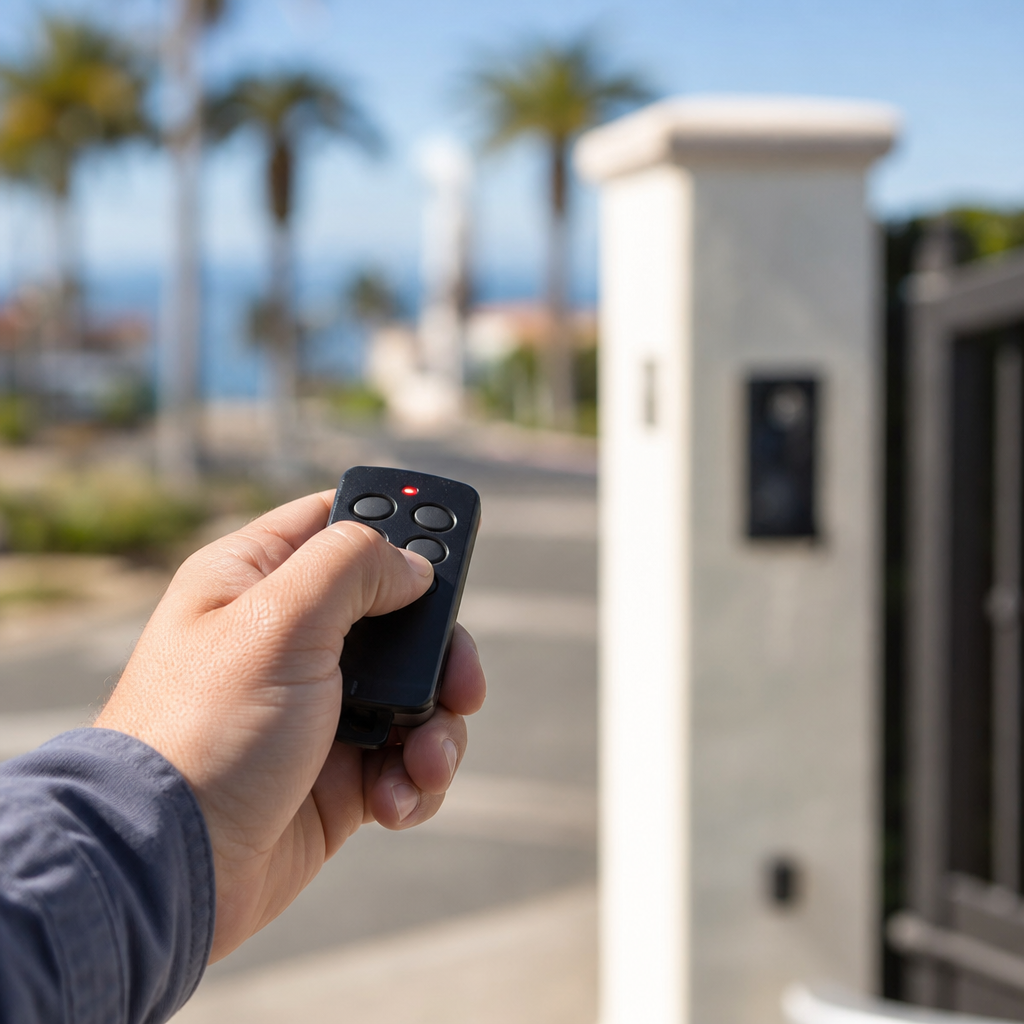
If changing the battery does not resolve the issue, reprogramming may be necessary. As specialists at Ironworks Gate Co. advise, always follow the opener and remote manufacturer’s manual because programming and reset procedures vary. Avoid holding reset controls unless the manual specifically states what they do, as holding buttons can trigger model-dependent actions (such as clearing all stored remotes from memory on certain systems).
When to Call a Professional Gate Repair Technician
If basic troubleshooting does not restore remote operation, the issue may involve high-voltage electronics, logic board failure, or mechanical safety lockouts. Avoid opening energized operator enclosures, and seek professional service for electrical, mechanical, or corrosion-related faults. Call a professional technician if you notice any of the following:
- The receiver board or housing shows signs of electrical damage or corrosion: Professional service is required to safely inspect and replace compromised electrical components.
- The gate motor hums but does not move: This points to a mechanical or motor drive fault rather than a remote issue. (Possibilities such as motor capacitor or valve failure require professional diagnosis.)
- Safety sensors indicate an active fault: Gate operators are designed to lock down if safety photo eyes or edge sensors are misaligned, obstructed, or failing.
- Intermittent operation linked to wet weather: Environmental moisture causing ground faults or wiring issues requires specialized diagnostic equipment to isolate safely.
Frequently Asked Questions
Why does the remote light turn on but the gate will not open?
An illuminated remote light only confirms that the battery has enough power to light an LED. It does not guarantee sufficient transmission power. Alternatively, radio interference may be blocking the signal, receiver settings may have changed, or an active safety sensor may be holding the gate in a safety lockout state.
How do I know if my gate remote battery needs replacement?
The clearest sign is a significant loss of operating range. According to Ironworks Gate Co., if you previously opened your gate from a distance and now must hold the remote close to the operator, the battery has lost power and should be replaced.
What causes radio interference with gate opener receivers?
RF interference can be caused by unshielded low-voltage transformers, wireless electronics, power line noise, or temporary overlapping same-frequency transmissions. When overlapping signals cause temporary nonresponse, retransmitting after the interference clears may restore operation.
How do I tell if the problem is the remote or the gate control board?
Test the gate using an alternative wired control, such as a hardwired keypad or wall switch. This step helps distinguish a remote or receiver problem from a broader gate or power problem. If the wired switch operates the gate normally, the issue is likely isolated to the remote transmitter, radio receiver, or wireless interference.
Need why is my gate remote not working?
We’re available now - call for a fast, free estimate.
Sources
- 2022 DCC papers.indd – files.tapr.org (2022)
- M. E. Ishaje – scholarbro.com
Related reading: Sliding Gate Roller Replacement | Call Now-10% Off | Same-Day Service | Free Estimate
Related reading: Reset Gate Motor | 10% Off & Free Estimate | Same-Day Service
Related reading: Open Electric Gate Manually – 10% Off & Free Estimate – Same-Day Service
Frequently Asked Questions
How much does it cost to fix or replace a malfunctioning gate remote system?
Basic remote replacement typically costs between $30 and $90, while receiver or main control board repairs can range from $150 to over $400 depending on the operator brand. Ironworks Gate Co. offers fast diagnostic inspections and same-day repairs to determine whether a simple transmitter reprogramming or a full receiver replacement is required.
Can I use a universal remote if my original gate clicker stops working?
Universal remotes work with many systems, but compatibility depends on whether your operator uses legacy dip-switch frequencies or proprietary rolling-code encryption. The access control specialists at Ironworks Gate Co. can identify your receiver specifications to supply and program the correct compatible hardware for your setup.
What should I do if all gate remotes stop working at the same time?
When multiple transmitters fail simultaneously, the issue is usually caused by a damaged receiver antenna, radio interference, or a power fault on the main logic board. You should verify that wired controls still respond and contact Ironworks Gate Co. to safely test the internal receiver board without exposing yourself to energized operator components.
About the author
 |
Sarah Miller Sarah Miller is a specialized content writer focusing on property security and access control systems, with over six years of experience in the home services industry. Holding a B.A. in Communications from California State University, Fullerton, she translates complex technical repair processes and pricing structures into clear, actionable advice. Her work helps property owners navigate gate maintenance and repair costs, ensuring they make informed decisions when hiring contractors. |
Gate not opening, off track, or opener dead?
We’re available now - call for a fast, free estimate.
Call Now - Free Estimate