
Quick Summary
When an automated driveway gate stalls or refuses to open, property access and security are instantly disrupted, making systematic automatic gate troubleshooting essential for identifying power, sensor, or mechanical failures. Property owners can safely resolve minor faults by cleaning obstructed safety sensors, replacing transmitter batteries, and clearing track debris, but high-voltage electrical faults, hydraulic leaks, and structural binding require professional intervention. By following this safety-focused diagnostic guide, readers will know how to perform basic system checks safely and recognize when to call Ironworks Gate Co. for comprehensive on-site diagnostics and same-day repairs.
Automatic Gate Troubleshooting: Safe Diagnostic and Repair Guide
When an automatic driveway gate refuses to open or stalls halfway across the drive, it instantly disrupts your day and leaves your property vulnerable. A systematic approach to automatic gate troubleshooting helps you determine whether you are dealing with a dead remote battery, an obstructed sensor, or a mechanical bind that requires attention. Because these systems move heavy steel, wood, and iron assemblies, working safely around them is vital. Estimates from the U.S. Consumer Product Safety Commission (CPSC) indicate that nearly 25,000 people were involved in automatic-gate-related injuries from 1990 through 2000, including roughly 9,000 children under age 15.[1]
As safety specialists at Ironworks Gate Co. emphasize, safety standards require at least two entrapment-prevention mechanisms, including a device that reverses the gate upon encountering an obstruction and a secondary sensing mechanism. The diagnostic steps below will help you inspect your gate safely while keeping people clear and avoiding damage to your equipment.[3]
Diagnostic Checklist and Safety Protocols
Before testing components, make sure to keep all people, pets, and vehicles completely clear of the gate swing or slide path. Never force a gate to move, and never disable or bypass safety devices. Motorized operators generate substantial torque and can close without warning if an automatic close feature engages.
Quick Inspection Summary
- Keep the area clear: Maintain an open radius around the full arc or track of the gate before testing, and keep everyone at a safe distance.
- Verify main power: Check whether the electrical supply is connected and active according to your operator manual.
- Preliminary sensor checks: Check sensor lenses for dirt, debris, or obvious alignment issues without disconnecting wiring or bypassing safety devices. These checks serve as preliminary observations rather than confirmation of a fault or repair.
- Manual inspection: Refer to your operator manual to safely disengage the release and check if the gate moves freely by hand without forcing it.
When to Stop DIY Checks and Call a Professional
While basic visual checks or replacing a remote battery may be handled on your own, high-voltage electrical components and complex mechanical issues require professional service. Stop troubleshooting immediately if you see leaking hydraulic fluid, smell burned wiring, or encounter broken drive components. Never attempt to force a jammed gate leaf with a vehicle or pry bar, never increase operator force limits to push past a bind, and never bypass safety devices. Consult your operator manual and contact a qualified technician for model-specific repairs.[4]
Diagnostic Tools and Preparation
To inspect your gate safely, gather a few basic items:
- The original manufacturer manual for your gate operator model.
- Fresh replacement batteries for keypads and handheld transmitters.
- A clean, dry microfiber cloth for preliminary lens cleaning.
- The manufacturer-approved manual release key or tool.
- A flashlight to inspect track areas and visible hardware safely.
Step 1: Check Power Supplies, Breakers, and Reset Switches
Need automatic gate troubleshooting?
We’re available now - call for a fast, free estimate.
If your gate gives no response to remotes or keypads, begin with basic electrical observations according to your operator manual.
- Check the main breaker: Locate the dedicated breaker in your electrical subpanel. If the breaker has tripped, reset it once. If it trips again immediately, stop resetting it and contact a qualified technician for inspection.
- Inspect external switches and GFCI outlets: Many outdoor gate operators incorporate a disconnect switch or GFCI outlet. Refer to your manual for reset guidelines.
- Verify shutoff switches: Check that no external emergency shutoff, access switch, or manual control button is held in an open-circuit state.
Step 2: Inspect Safety Sensors and Alignment
When an automatic driveway gate opens normally but does not close (or starts to close and reverses), safety sensors may be a factor to inspect. Never attempt to bypass or disable safety devices.
- Clear physical obstructions: Make sure tall weeds, debris, or foreign objects are not blocking the optical beam path across the driveway.
- Clean optical lenses: Gently wipe sensor lenses with a clean cloth as a preliminary observation step, noting that cleaning is an observational check rather than a confirmed repair.
- Check diagnostic indicators: Observe the indicator LEDs on sensor housings according to your operator manual. If alignment issues, damaged wiring, or internal faults are suspected, refer to your manual or consult a qualified technician.
Step 3: Test Access Controls, Keypads, and Remotes
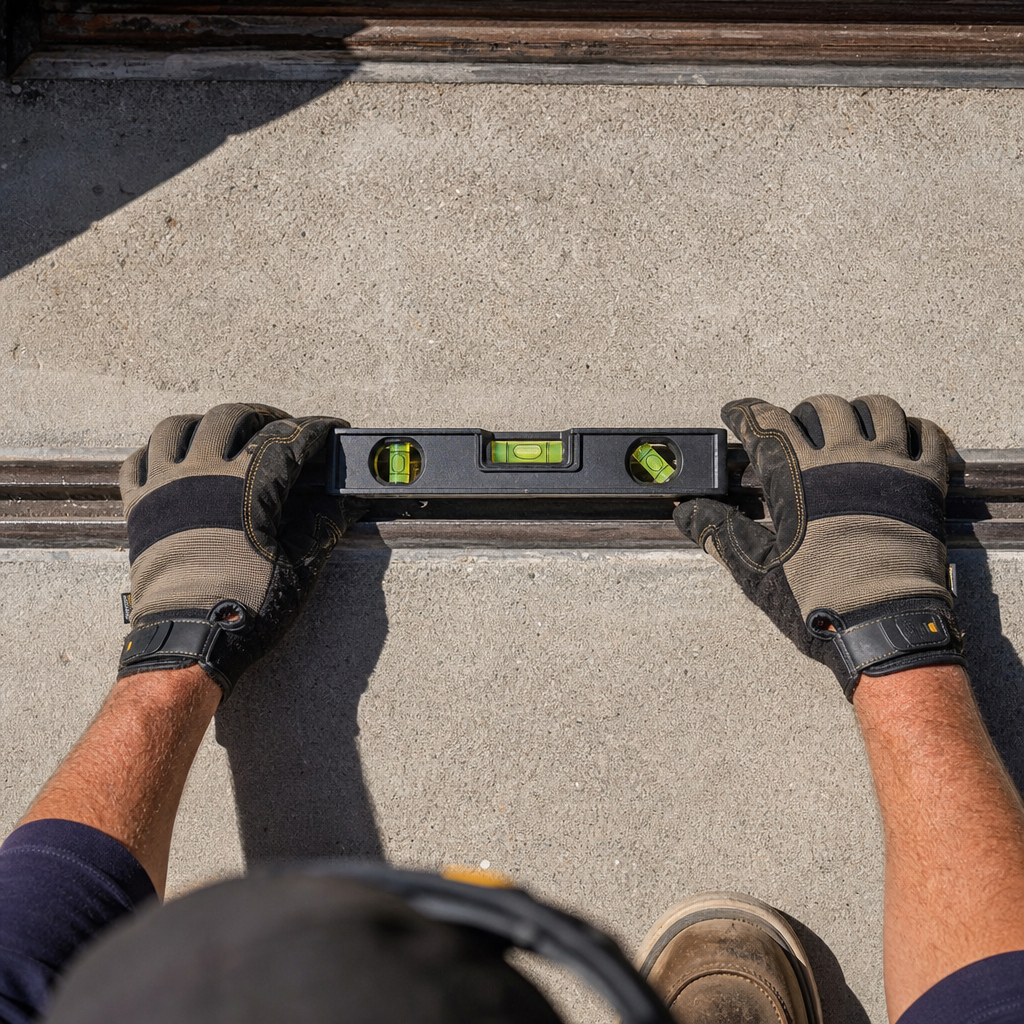
Check whether the issue is related to triggering devices or access controls.
- Test handheld transmitters: Replace the battery in your remote. If you have multiple remotes, test each one to see if the issue is isolated to a single unit.
- Test hardwired accessories: Try activating the gate using a hardwired keypad, push button, or intercom. If the keypad operates the gate but remotes do not, consult your operator manual for receiver inspection and programming steps.
- Check for keypad lockouts: Entering incorrect access codes repeatedly can trigger a security lockout on certain entry systems. Refer to the manufacturer manual for lockout durations and reset procedures.
Step 4: Check for Mechanical Binding, Track Obstructions, and Structural Sag
According to installation professionals at Ironworks Gate Co., physical friction or track obstructions can cause an operator’s safety mechanisms to stop travel to prevent damage or injury.
- Disengage the manual release: Use the release mechanism according to your operator manual to safely unlock the gate from the drive motor.
- Move the gate by hand: Gently guide the gate along its travel path without forcing it to feel for resistance or binding.
- Inspect tracks and rollers: Check tracks for embedded gravel, dirt, or debris, and inspect rollers for visible signs of damage or wear.
- Inspect hinges and alignment: Check whether the gate drags along the ground or if support posts appear out of alignment. For structural realignment, contact a qualified technician.
Step 5: Diagnose Motor Humming, Capacitors, and Hydraulic Drive Issues
Need automatic gate troubleshooting?
We’re available now - call for a fast, free estimate.
If you press your remote and hear a hum from the operator cabinet but the gate does not move, electrical power may be present while mechanical binding or internal electrical issues prevent movement.
- Electrical components: Internal electrical components such as capacitors or motor windings require professional testing. Refer to the operator manual and contact a qualified technician for internal electrical diagnostics.
- Hydraulic drive mechanisms: Hydraulic operators experiencing fluid leaks or pressure loss require professional servicing.
- Drive gears and chains: Jammed chains or gearboxes should not be forced while power is connected. Turn off power and contact a qualified technician.
Step 6: Safely Cycle Power and Reset Control Board Limits
Control boards may sometimes benefit from a power cycle, but model-specific procedures vary.
- Turn off power to the gate operator at the dedicated breaker or disconnect switch.
- Wait the duration recommended in your operator manual to allow control circuits to discharge.
- Restore power and observe the status indicators.
- If running a test cycle, ensure all people and objects remain completely clear of the gate path. Refer to your operator manual or a qualified technician for model-specific limit setup or board diagnostics.
Why Coastal and Hillside Gates May Require Specialized Diagnosis
Coastal moisture and shifting hillside terrain can place extra physical demands on automated gate systems over time. Corrosion can affect hardware and electrical connections, while ground movement may alter gate alignment and increase mechanical resistance.
Attempting unverified quick fixes or forcing higher operator force limits without addressing underlying structural or mechanical resistance can lead to equipment damage. For complex structural adjustments or electrical repairs, refer to your operator manual and work with a qualified technician to ensure safe, reliable operation.
Frequently Asked Questions About Automatic Gate Troubleshooting
Why is my automatic gate not opening with the remote?
A gate that fails to respond to a remote may involve depleted transmitter batteries, radio signal interference, or an issue with the receiver antenna. If replacing the remote battery does not restore operation, test the gate using a hardwired keypad or push button, and consult your operator manual for model-specific receiver troubleshooting.
How do I fix an automatic driveway gate that is stuck open or closed?
First, verify that the main power supply and disconnect switches are active. Next, perform a preliminary check of safety sensors for dirt or obstructions, and refer to your operator manual to safely disengage the manual release. Gently check if the gate moves freely by hand without forcing it. If the gate remains unresponsive or mechanically bound, contact a qualified technician for service.
Why does my electric gate reverse before closing completely?
An automatic gate may reverse during closing if an entrapment-prevention device senses an obstruction or if mechanical resistance along the gate path triggers a safety reversal. Check for debris along the track and verify sensor alignment. If the reversal continues, refer to your operator manual and consult a qualified technician.
How do I troubleshoot safety sensor or photocell issues on my gate?
Ensure the gate path is clear, and perform a preliminary visual check of the sensor lenses, wiping away surface dust or debris with a clean cloth. Observe the indicator lights and compare them to the descriptions in your operator manual. Never bypass or disable safety sensors. If sensor issues persist, have a qualified technician inspect the wiring and components.
What causes an automatic gate motor to hum without moving?
A gate motor that hums without moving indicates that electrical power is reaching the unit, but mechanical binding, internal electrical component failure, or drive mechanism issues may be preventing movement. Discontinue operation immediately to avoid motor damage, and consult your operator manual or contact a qualified technician.
When should I call a professional technician instead of DIY gate repair?
Contact a qualified technician if your gate repeatedly trips electrical breakers, exhibits post sag, shows leaking hydraulic fluid, or requires internal electrical and mechanical repairs. As technicians at Ironworks Gate Co. point out, because automated gates operate under high electrical voltage and mechanical force, complex diagnostic and repair work should be handled by an experienced professional.[2]
Need automatic gate troubleshooting?
We’re available now - call for a fast, free estimate.
Sources
- New Safety Standard for Automatic Security Gates Helps … – cpsc.gov (2000)
- Final Rule – Safety Standard for Gates and Enclosures – CPSC – cpsc.gov (2020)
- [PDF] Investigation Guideline Product: Automatic Gate Operators Appendix – reginfo.gov (2000)
- Workplace Injury & Fatality Statistics – esfi.org (2024)
Related reading: Compare Automatic Gate Repair Laguna Beach | Call Now-10% Off | On-Site in 60 Minutes | Free Estimate
Related reading: Emergency Gate Repair – 10% Off & Free Estimate – On-Site in 60 Minutes
Related reading: Gate Repair Companies Near Me | Call Now-10% Off | On-Site in 60 Minutes | Free Estimate
Frequently Asked Questions
How does coastal moisture impact automatic gates, and what preventative steps help?
Salt-laden air accelerates corrosion on circuit boards, exposed wiring, and hinge assemblies, which increases mechanical resistance and trips sensitive safety limits. Ironworks Gate Co. recommends biannual hardware lubrication with non-greasy marine-grade lubricants and housing weather-seal inspections to prevent premature electrical failure in coastal zones.
Can I safely leave my automatic gate disengaged in manual mode during an extended power outage?
Yes, using the manufacturer manual release key safely isolates the gate leaf from the drive motor so you can secure it manually without damaging internal gears. If frequent outages disrupt your property access, Ironworks Gate Co. can install dedicated battery backup systems to keep your gate operating automatically during grid failures.
What happens during a professional on-site diagnostic assessment for a stalled gate?
A qualified technician tests control board circuits, measures motor capacitor draw, evaluates secondary safety sensor outputs, and inspects track geometry for hidden structural sag. This comprehensive diagnostic from Ironworks Gate Co. isolates the root mechanical or electrical cause, allowing for accurate, same-day repairs.
About the author
 |
Sarah Miller Sarah Miller is a specialized content writer focusing on property security and access control systems, with over six years of experience in the home services industry. Holding a B.A. in Communications from California State University, Fullerton, she translates complex technical repair processes and pricing structures into clear, actionable advice. Her work helps property owners navigate gate maintenance and repair costs, ensuring they make informed decisions when hiring contractors. |
Gate not opening, off track, or opener dead?
We’re available now - call for a fast, free estimate.
Call Now - Free Estimate