
Quick Summary
This guide explains how to safely reset gate motor systems after electrical surges or safety lockouts while identifying underlying mechanical drag along hinges and tracks. While power-cycling the operator and pressing the board reset switch resolves temporary logic errors, Ironworks Gate Co. recommends verifying photo-eye alignment and seeking professional diagnostics if error codes persist. Readers will gain step-by-step instructions to safely isolate power circuits, clear sensor obstructions, and recalibrate travel limits across major driveway gate opener brands.
Reset Gate Motor Fast: Step-by-Step DIY and Expert Fixes
To reset gate motor systems on your property, many gate operator manuals describe resetting by power-cycling the unit or using a dedicated reset button on the control board.[2] Because reset procedures, button locations, and safety protocols vary by model, always consult your manufacturer manual for exact steps. While a quick restart can clear temporary logic glitches, repeatedly resetting an operator without checking the mechanical components may risk overheating the motor or straining internal electrical components.[1]
Modern swing and slide gate operators are often designed to shut down when sensors detect electrical surges, safety circuit breaks, or excessive resistance. If your gate stops halfway or refuses to budge, general troubleshooting can help you identify whether the issue stems from an electronic fault or physical drag.
The following general guide outlines common troubleshooting steps to help you evaluate your gate system and determine whether mechanical binding is affecting operation.
Fast Triage: How to Reset Gate Motor Controls
Quick Triage: To reset an electric gate motor, many manuals recommend shutting off power at the breaker or disconnect switch, disconnecting any backup battery harnesses if applicable, and then restoring power. Press the board’s reset button if equipped. If the motor hums but the gate does not move, release the manual clutch to check for physical dragging, seized hinges, or misaligned safety photo-eyes before attempting another cycle. Refer to your specific model manual for exact reset steps.[2]
When an automatic gate does not open, technicians at Ironworks Gate Co. note that power fluctuations and electrical surges can trigger safety lockouts in the controller. Following manufacturer-approved reset procedures allows you to clear temporary memory faults safely.
General steps for troubleshooting
- Turn off power at the dedicated breaker or exterior disconnect switch as directed by the manufacturer.
- Open the operator enclosure and locate the reset switch or diagnostic button if present on your model.
- Inspect infrared photo-eye sensors to ensure lenses are clear of dirt, moisture, and debris.
When a simple reset will not solve the issue
Rebooting the control board may resolve logic errors, but it does not address physical resistance. Heavy gates subjected to ground settling or environmental wear often bind at the hinges or track. When an operator attempts to move a binding gate, it may draw excessive electrical current, causing the control board to shut off power to protect the system. Repeatedly attempting to reset a mechanically bound gate may risk overheating the motor or damaging electrical components.
What You Need Before Resetting an Automatic Gate Opener
Before opening the control cabinet, gather basic tools and secure the area. Safety precautions are essential when dealing with automated gates and electrical circuits. Always verify procedures against your operator’s manual.
Common tools and safety gear
- Cabinet key or wrench: Required to access weather-sealed control enclosures as specified by the manufacturer.
- Digital multimeter: Useful for checking supply voltage and battery health if you are trained in electrical safety.
- Insulated hand tools: Standard screwdrivers and pliers rated for electrical service work.
- Manual release key: The manufacturer-provided release tool, key, or clutch handle to disengage the gate for manual testing.
Safety measures before opening control boxes
Gate operator enclosures contain incoming AC power alongside low-voltage logic circuits. Clear family members, pets, and vehicles away from the gate path before beginning. Never place hands near drive chains, pinch points, or swing arms while the system is energized.
Step 1: Disconnect and Power-Cycle the Electrical Circuit
To reboot a gate operator, manuals generally suggest disconnecting power from both the main supply and any auxiliary backup systems to allow onboard electronics to discharge fully.
Isolating line voltage vs. solar and battery backups
- Switch off the dedicated circuit breaker or exterior power disconnect switch.
- If equipped, open the operator enclosure and disconnect the DC battery backup harness or solar panel inputs according to manufacturer instructions.
Allowing onboard circuits to discharge
Leave power disconnected for the duration recommended in your operator manual to allow the system to clear temporary memory. Once complete, reconnect battery backups (if applicable) and restore main power in accordance with the manual’s guidelines.
Step 2: Locate and Activate the Operator Reset Button
Once power is restored, locate the reset switch or button specified in your model manual to reboot the control board and re-initialize peripheral sensors.
General reset switch locations
Reset switch locations vary widely depending on the manufacturer and model type:
- Slide operators: Reset switches may be located on the exterior chassis, near incoming power conduits, or directly on the circuit board.
- Swing arm operators: Reset buttons are commonly located inside the control cabinet near the status LEDs or diagnostic display.
- Linear actuators: Reset switches are often positioned on the external control box enclosure or the main PCB.
- Activation method: Consult the user manual for whether your model requires a momentary press or a held press.
Interpreting diagnostic LED indicators
Pay attention to any status or diagnostic LEDs after restarting. Many modern operators display indicator codes for conditions such as low battery voltage, limit switch alignment, or safety sensor trips. If the motor hums and cuts out, stop resetting the unit to avoid unnecessary motor strain.
Step 3: Inspect and Clear Photo-Eye Safety Sensors
Under standard automated gate safety guidelines, operators rely on monitored external entrapment protection. If a safety photo-eye is obstructed, misaligned, or dirty, the control board may prevent the gate from closing regardless of how many times the unit is reset.
Sensor alignment and lens cleaning
Driveway sensors can become blocked by environmental buildup. General maintenance steps include:
- Wipe the sensor lenses with a clean, soft cloth to remove dust, moisture, or cobwebs.
- Check the indicator lights on both the transmitter and receiver to verify alignment according to the sensor manufacturer’s instructions.
- Ensure mounting brackets are firmly secured so vibration does not misalign the optical beam.
Addressing entrapment protection errors safely
Never bypass safety sensors. Disabling safety circuits introduces serious hazards and conceals underlying issues that can cause recurring lockouts.
Step 4: Check for Mechanical Resistance, Hinges, and Track Binding
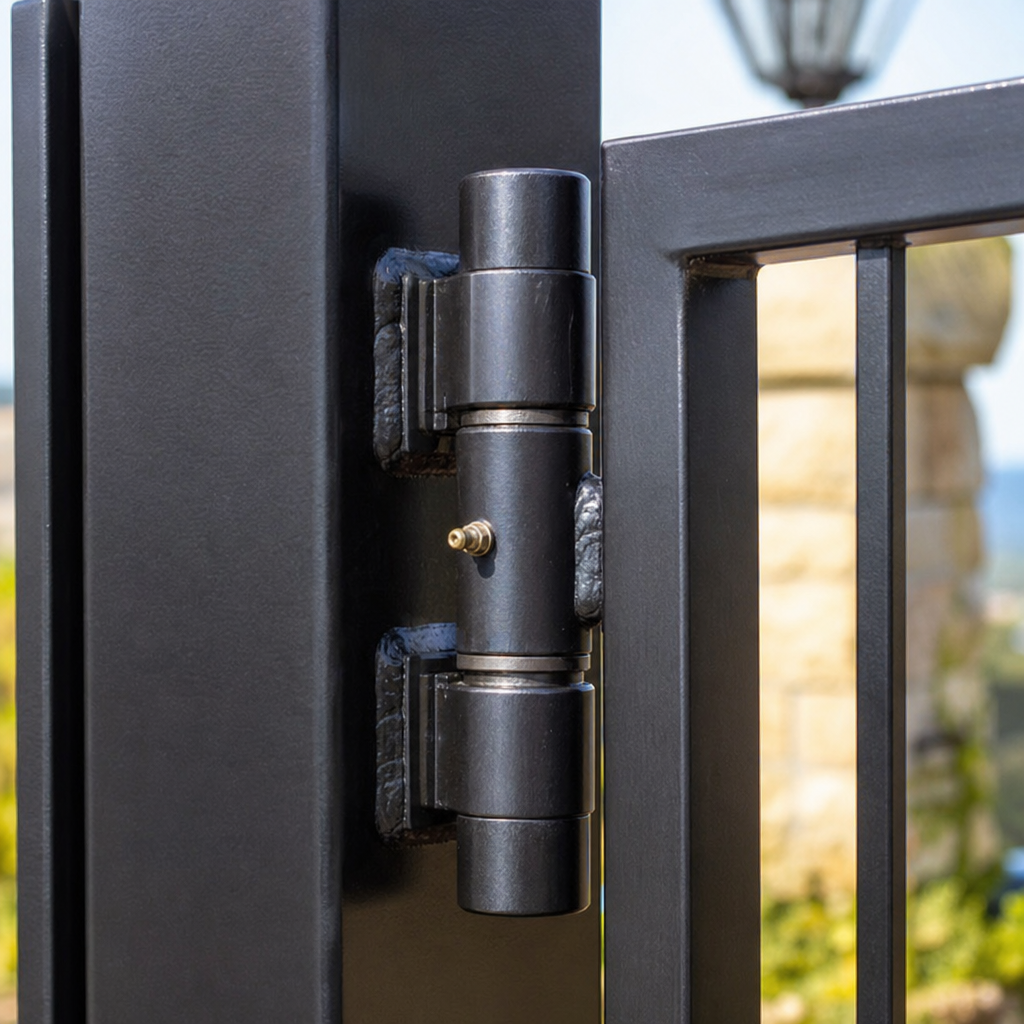
A frequent cause of gate motor lockouts is mechanical resistance. If a post leans, or if hinges and rollers bind, the motor must work harder to move the gate. Control boards often interpret this resistance as an obstruction and stop operation.
Disengaging the manual release to check for drag
To determine whether mechanical drag is present, disengage the gate following your manual’s instructions:
- Use the manual release mechanism to disengage the gate from the drive system.
- Move the gate through its full travel path by hand.
- A properly balanced gate should move smoothly. If significant effort is required, the operator is likely encountering the same resistance.
- Inspect for worn hinges, damaged wheels, misaligned rollers, or track settling.
Addressing physical wear and environmental factors
According to Ironworks Gate Co., ground settling and corrosion can tilt posts or cause gates to sag. Increasing motor force settings to compensate for physical binding is generally discouraged by manufacturers, as it places additional strain on internal drive components.
Step 5: Check Travel Limits and Test Operation
After verifying that the gate moves freely by hand, re-engage the drive mechanism. You may need to review or adjust limit settings as described in the manufacturer manual so the gate stops correctly.
Adjusting limit switches
Limit mechanisms indicate where the gate should stop at each end of travel:
- On mechanical limit systems, check that limit nuts or cams properly contact the switches before the gate hits physical stops.
- On electronic or microprocessor systems, consult the manual to perform the recommended travel-learn procedure.
Running an operational test cycle
- Initiate a test cycle using your remote, keypad, or control button.
- Observe the gate as it moves to confirm smooth travel and proper stopping points.
- If the motor hums without moving the gate, internal electrical components or capacitors may require professional inspection.
Brand-Specific Diagnostics and Manual References
Because diagnostic codes, switch locations, and reset procedures vary substantially across different brands-such as LiftMaster, Mighty Mule, DoorKing, and Viking-always refer directly to the manufacturer manual for your specific model before servicing the unit.
- LiftMaster / Elite: Many models include diagnostic displays or reset buttons on the chassis or board; consult the user manual for diagnostic code definitions.
- Mighty Mule / GTO: Control boxes typically feature a main power switch; consult the manual for battery voltage requirements and audible diagnostic tones.
- DoorKing (DKS): Many units utilize power switches and board LEDs for diagnostics; review the specific product documentation for proper troubleshooting steps.
Understanding Gate Motor Reset and Repair Considerations
When an automated gate malfunctions, deciding between a basic reset, mechanical maintenance, or professional service depends on the age, condition, and underlying cause of the issue.
General service overview
| Service Scope | Diagnostic & Board Reset | Component Maintenance & Repair | Complete Operator Replacement |
|---|---|---|---|
| Typical Actions | Power cycle, reset button activation, sensor cleaning | Hinge service, limit adjustment, component replacement | New operator chassis, control board, entrapment devices |
| Common Indications | Temporary electrical glitch, minor sensor blockage | Dragging track, worn rollers, physical binding | Severely worn gearboxes, obsolete electronics, heavy corrosion |
| Addresses Mechanical Drag? | No (Clears control logic only) | Yes (Addresses physical movement issues) | Yes (Complete replacement of mechanical drive) |
Repair vs. replacement
If an operator is relatively new and in good mechanical shape, cleaning sensors, resolving hinge binding, or resetting the board may resolve the problem. For aging units with severe physical wear or obsolete electronics, consulting a qualified technician such as Ironworks Gate Co. about replacement may be the most reliable option.
Frequently Asked Questions About Gate Motor Troubleshooting
How do I reset my automatic gate opener motor?
Many manufacturer manuals describe resetting by turning off power at the main breaker or disconnect switch, disconnecting auxiliary backup batteries if applicable, and waiting a short period for circuits to discharge before restoring power and pressing the reset button.[2] Consult your model manual for exact instructions.[3]
Where is the reset button located on a gate motor?
Reset button locations depend on the model. They may be located on the outer housing, near the power disconnect, or directly on the internal control circuit board. Check your operator manual for the specific location.[4]
Why is my electric gate not responding after a power outage?
Power outages and surges can trip circuit breakers, blow fuses, or put the control board into a safety lockout. In addition, backup batteries that have lost charge may not provide sufficient power to operate the motor.
How do you reset the limit switches on a gate motor?
Limit adjustment methods vary by design. Mechanical operators often use adjustable limit nuts or cams, while digital systems use a microprocessor learn routine. Refer to your manufacturer manual for the exact calibration sequence.
What should I do if resetting the gate motor does not fix the problem?
If resetting fails to restore operation, disengage the manual release to check for physical drag, verify that safety sensors are clean and aligned, and inspect power connections. If the gate continues to malfunction, consult a qualified gate service professional.
Sources
- Who can you trust? A review of free online sources of “trustworthy … – pmc.ncbi.nlm.nih.gov
- Single Citation Matcher – PubMed – pubmed.ncbi.nlm.nih.gov
- How to Reset an Automatic Gate System – Engineer Fix – engineerfix.com
- Owner's Manual – doorking.com
Related reading: Sliding Gate Roller Replacement | Call Now-10% Off | Same-Day Service | Free Estimate
Frequently Asked Questions
Why does my gate motor hum but refuse to move even after a full reset?
A humming motor that fails to move the gate usually signals a failed start capacitor, internal gearbox wear, or severe mechanical binding along the hinges and track. If the gate cannot be moved smoothly by hand with the clutch disengaged, technicians at Ironworks Gate Co. recommend halting reset attempts to prevent motor burnout.
Is it safe to repeatedly reset a gate motor if it keeps tripping?
No, repeatedly resetting an operator that continuously stops can overload electrical circuits and permanently damage the motor windings. Recurring trips usually indicate that the board is detecting excessive physical drag or a faulty safety loop, which requires professional inspection.
How can I tell if a gate failure is caused by a dead backup battery rather than a blown control board?
A depleted backup battery typically triggers distinct audible alert beeps or specific low-voltage diagnostic LEDs on brands like LiftMaster or Mighty Mule when AC power drops. You can measure the battery voltage with a multimeter, or contact Ironworks Gate Co. to test whether the battery or the onboard charging circuit needs replacement.
About the author
 |
Sarah Miller Sarah Miller is a specialized content writer focusing on property security and access control systems, with over six years of experience in the home services industry. Holding a B.A. in Communications from California State University, Fullerton, she translates complex technical repair processes and pricing structures into clear, actionable advice. Her work helps property owners navigate gate maintenance and repair costs, ensuring they make informed decisions when hiring contractors. |
Gate not opening, off track, or opener dead?
We’re available now - call for a fast, free estimate.
Call Now - Free Estimate